Map the defect.
Trace the decision.
Place a finding on the 3D part or the drawing, then carry it through review, sign-off and the report.
No account needed. Resets on reload.
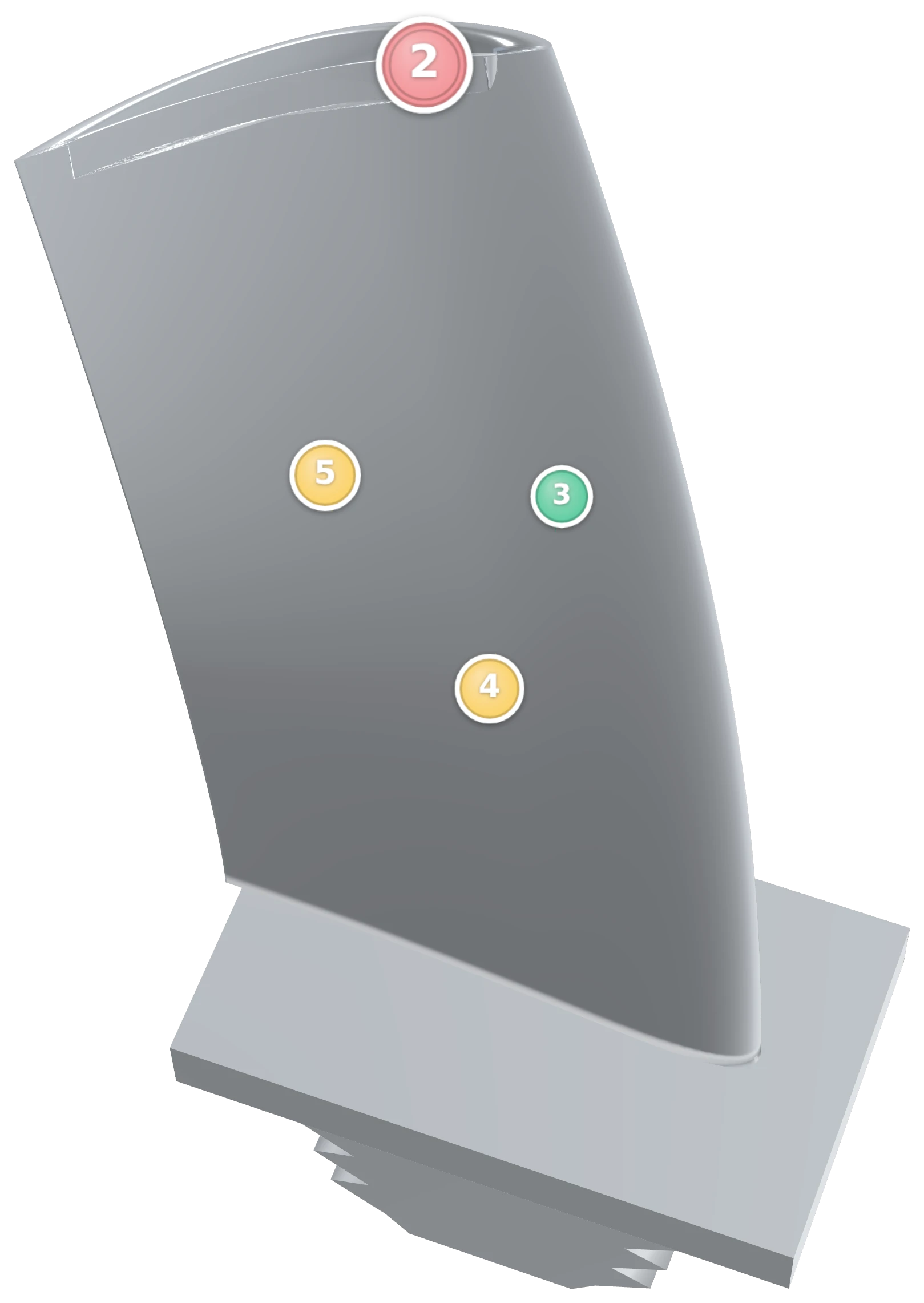
On the model, or on the drawing.
Whatever reference the part has, the finding is placed on it — and the number you place is the number on the report.
3D model
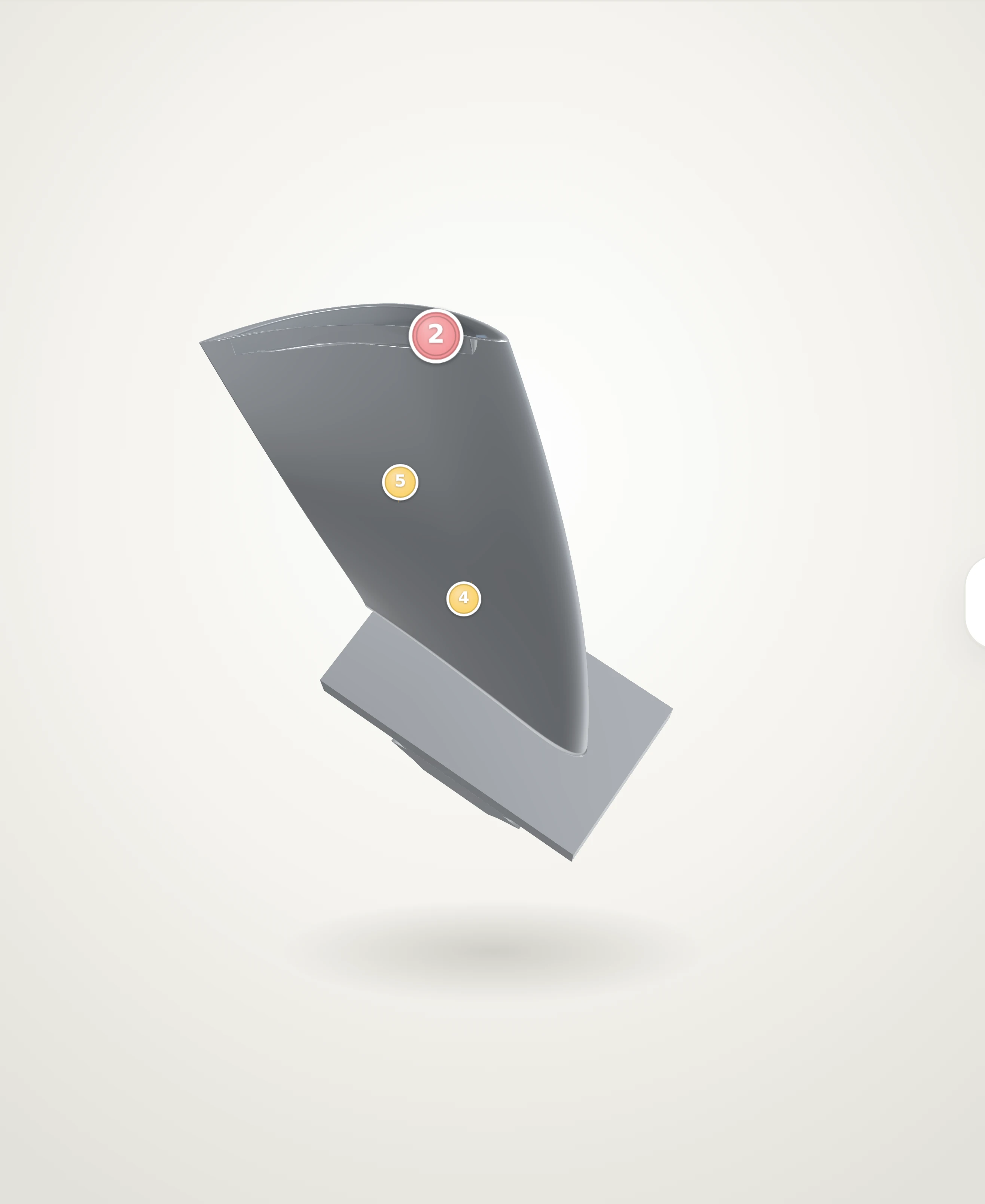
Findings in this view
- #002 Crack / Linear indication
- #004 Erosion / Corrosion / Oxidation / Pitting / Porosity
- #005 Deformation
Sample set WO-2026-118, part RB2-40551.
2D drawing
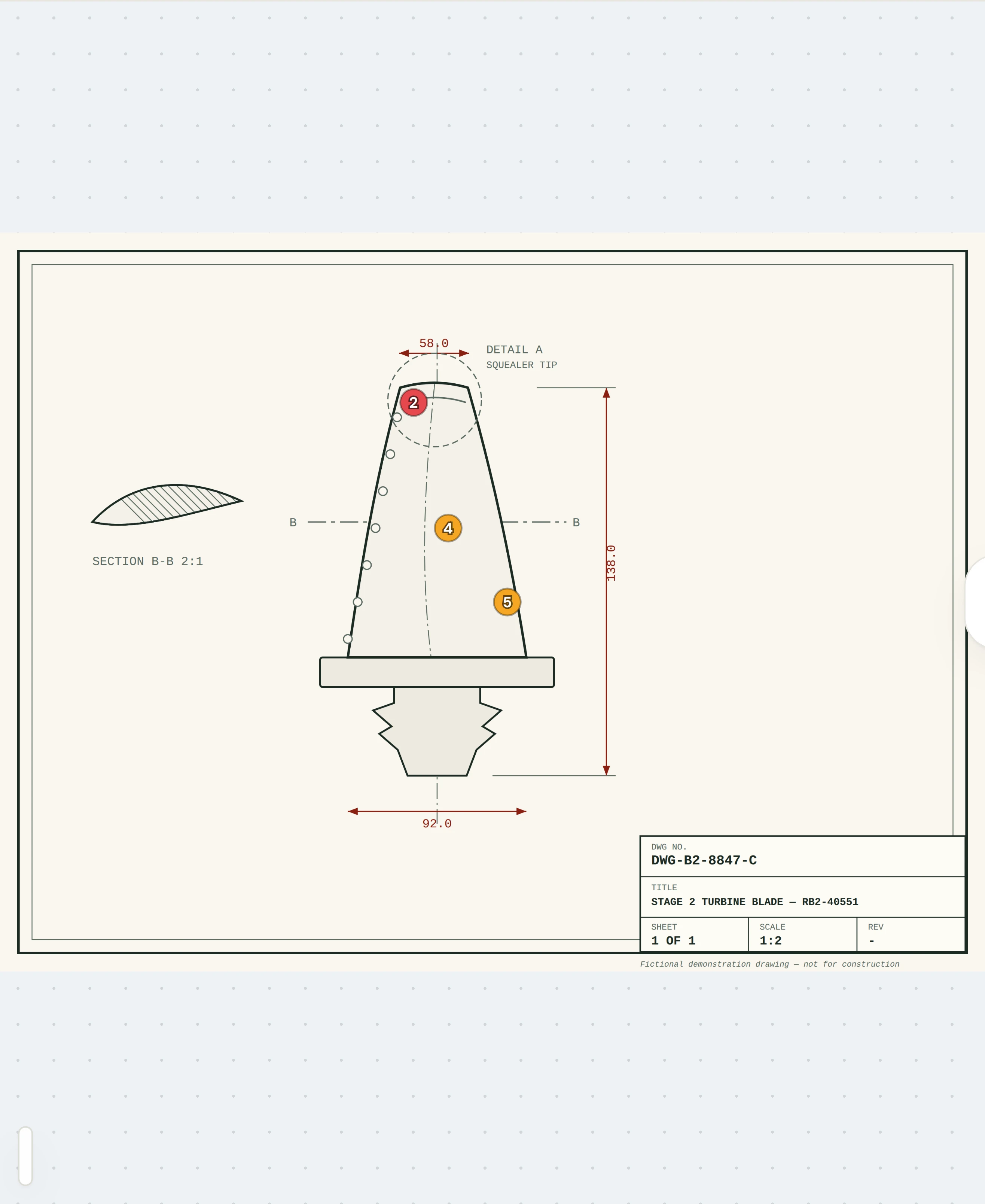
Findings in this view
- #002 Crack / Linear indication
- #004 Erosion / Corrosion / Oxidation / Pitting / Porosity
- #005 Deformation
The same part, on an illustrative sheet. Try mapping findings on sample piping drawings in Asset Integrity. Explore drawing inspections
14 mm. The zone allows 10.
Horus checks the measurement against the zone’s criteria and suggests a repair level. A person records the decision.

Every decision is somebody’s.
The record keeps who logged a finding, who approved it, when, and what they wrote.
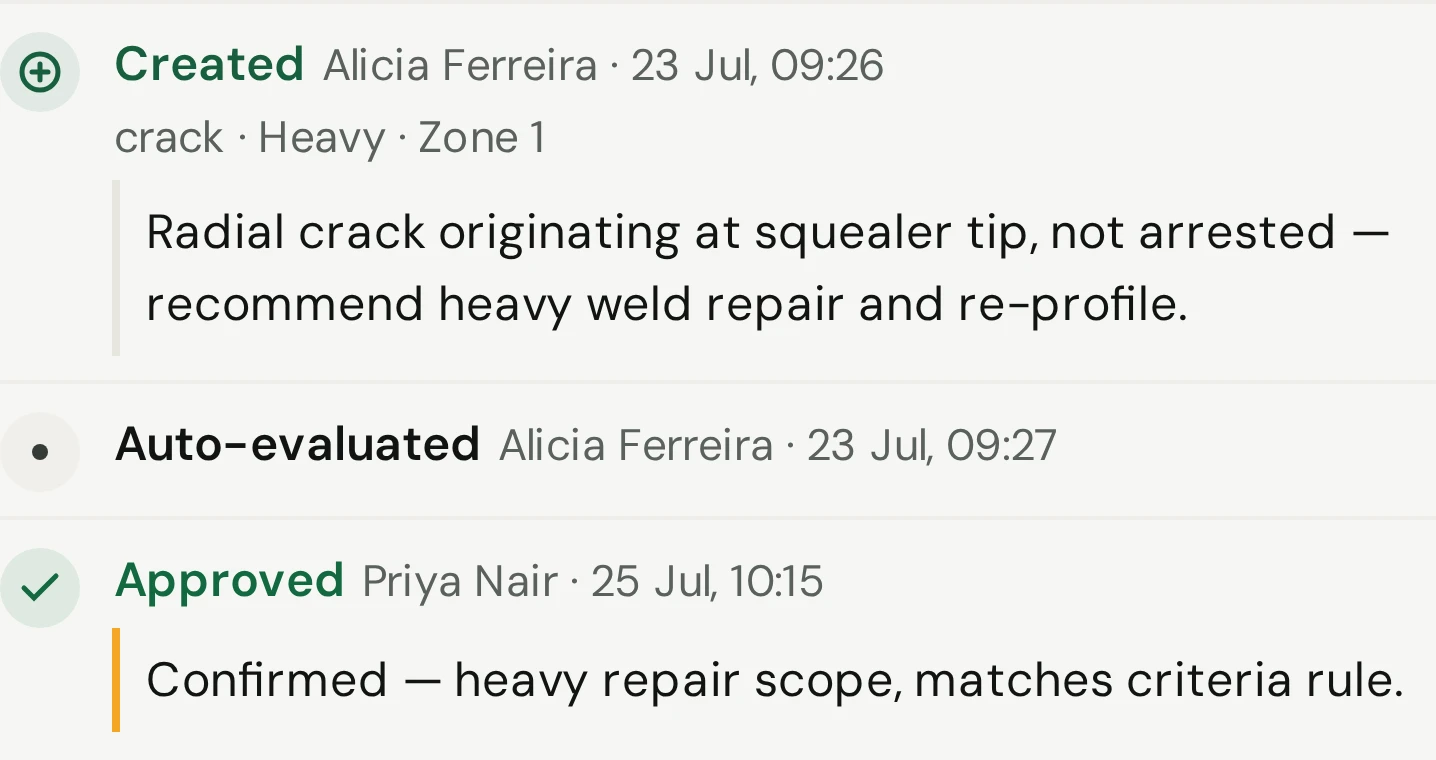
The finding is a row in the report.
The same findings export as PDF, Excel and Word, each in a customer or an internal version. Sign-off freezes the issued PDF.

What the sets add up to.
Findings counted across the whole workspace, not one part at a time.
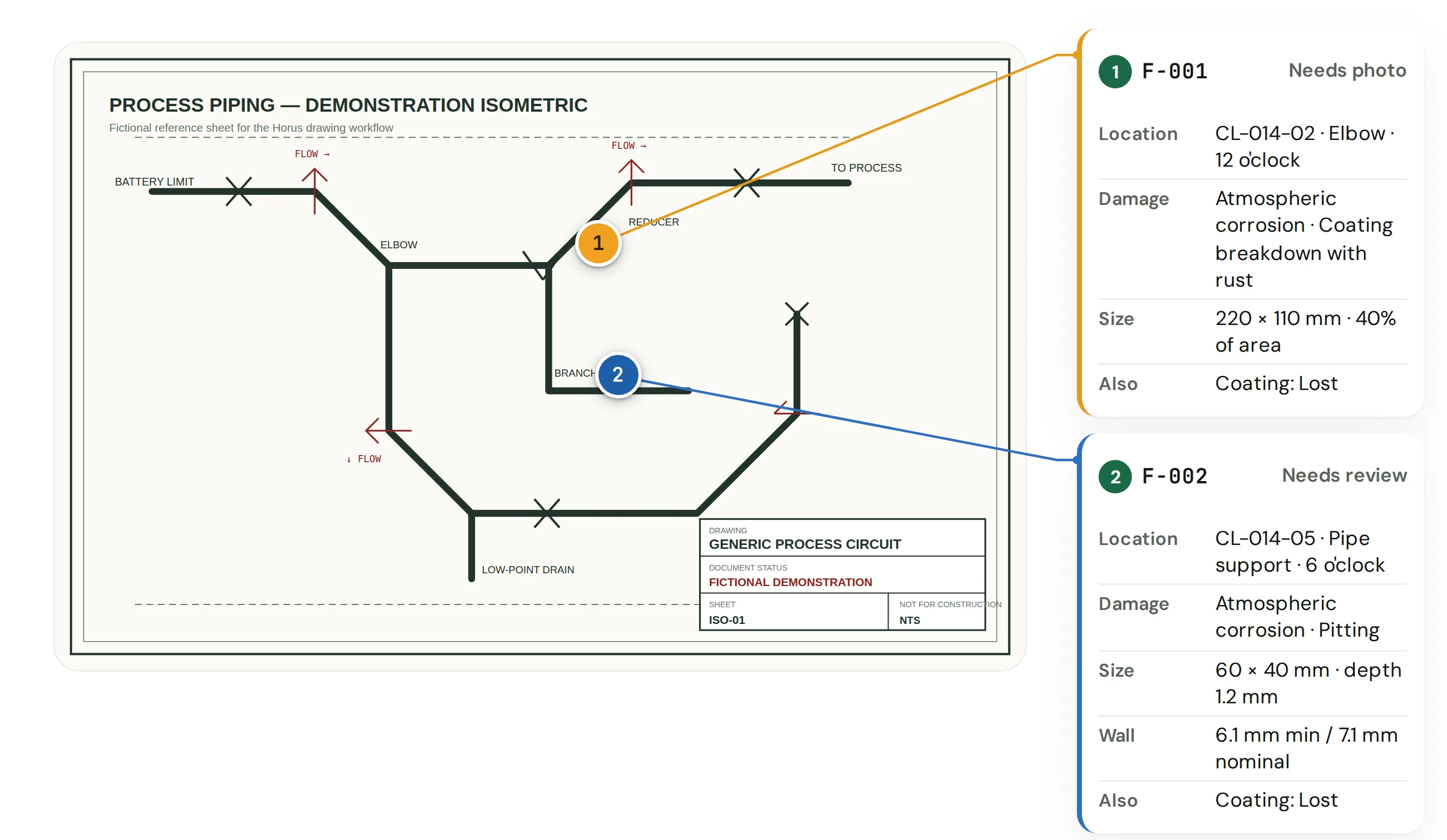
Fixed assets, on the owner’s drawing.
In Asset Integrity every finding is pinned to a revision of the owner’s drawing, with its location, damage and size in the margin. Add the photograph and a recommendation; a reviewer approves it, and the campaign is issued as a PDF and an owner handoff package.
Horus records what was found and hands it back. Risk scores, inspection intervals and work orders stay in the owner’s own systems. Explore Asset Integrity
Questions.
Anything else, write to sales@horus.imhotep-lab.com.
Do I need an account?
No. The demo opens on the Sets list; click a set to open it. Sample data resets on reload.
Is the sample data real?
The parts, findings and reports are made up for the demo. The application around them is the real one.
Can we attach certificates and choose what a report contains?
Yes. Certificates and extra files upload against the set and are appended to the exported PDF, and you choose which sections a set's report includes.
What exactly is frozen at sign-off?
The PDF. It is stored once with its checksum and served again on later downloads; Excel and Word are generated fresh each time.
Open a set. Place a pin.
Explore the demoNo account needed. Resets on reload.
or take the guided tour